8 Underrated Mac Utilities That Quietly Fix Apple's Weirdest Defaults
On this page+
macOS gets the big architecture pieces right and still leaves annoying defaults everywhere else. Plug in a non-Apple mouse and natural scrolling fights your trackpad. Join a video call and find out after clicking Join that your lighting looks washed out. Try sending a 200 MB build artifact to a Linux box or Android phone and AirDrop hits a dead end.
In Part 1, I listed the 8 developer and AI workflow apps I rely on every day. This half covers the everyday utilities that smooth out input devices, acoustics, calls, external displays, and local file sharing—without bloated background suites.
1. LinearMouse — Fix External Mouse Behavior Without 500 MB Suites
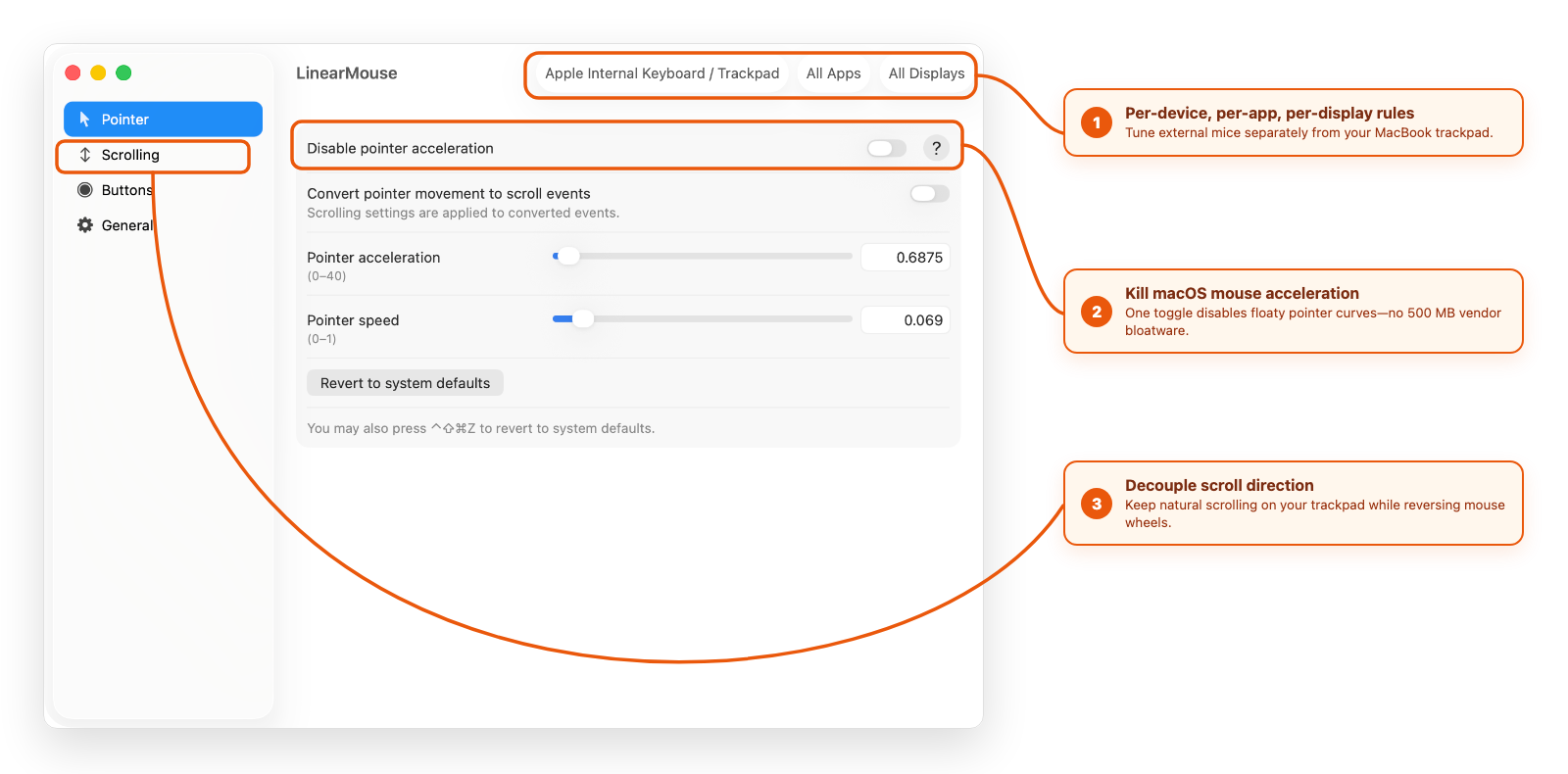
macOS couples external scroll direction to trackpad settings and applies aggressive pointer acceleration that makes fine cursor movement feel floaty. Most hardware vendors ask you to install half a gigabyte of background updater software to override it.
LinearMouse is free, open-source, and handles per-device, per-app, and per-display rules cleanly. You can disable pointer acceleration and reverse scroll wheel direction on an external mouse while leaving your built-in trackpad untouched.
2. Thock — Crisp Keyboard Feedback That Mutes for Music
Typing eight hours a day directly on a flat MacBook keyboard can feel flat when you are away from a mechanical board. Thock adds subtle, low-latency mechanical keystroke acoustics and automatically pauses playback whenever Spotify or Apple Music is active so sound profiles never clash with audio.
brew install --cask kamillobinski/thock/thock3. Hand Mirror — One-Click Camera Check Before Calls
Opening Photo Booth or joining a Meet link early just to verify framing and lighting takes too many steps. Hand Mirror puts one small icon in your menu bar: click once for an instant camera preview, click again to close it before jumping onto a call.
4. Cap — Open-Source Screen Recording Without Monthly Per-Seat Fees
Recording bug reproductions or quick product walkthroughs shouldn't force another monthly screen-recorder subscription. Cap is open-source and handles both Instant Mode (quick shareable links) and Studio Mode (local 4K recordings with auto-zoom, backgrounds, and captions).
5. Granola — Clean Call Notes Without an Awkward Meeting Bot
Having "So-and-so's AI Notetaker has joined the meeting" pop into customer calls changes the dynamic immediately. Granola captures system audio directly on your Mac without dialing a bot into the room, letting you jot down rough bullets during the call and merging them with the transcript afterward.
6. LocalSend — Cross-Platform AirDrop Over Local Wi-Fi
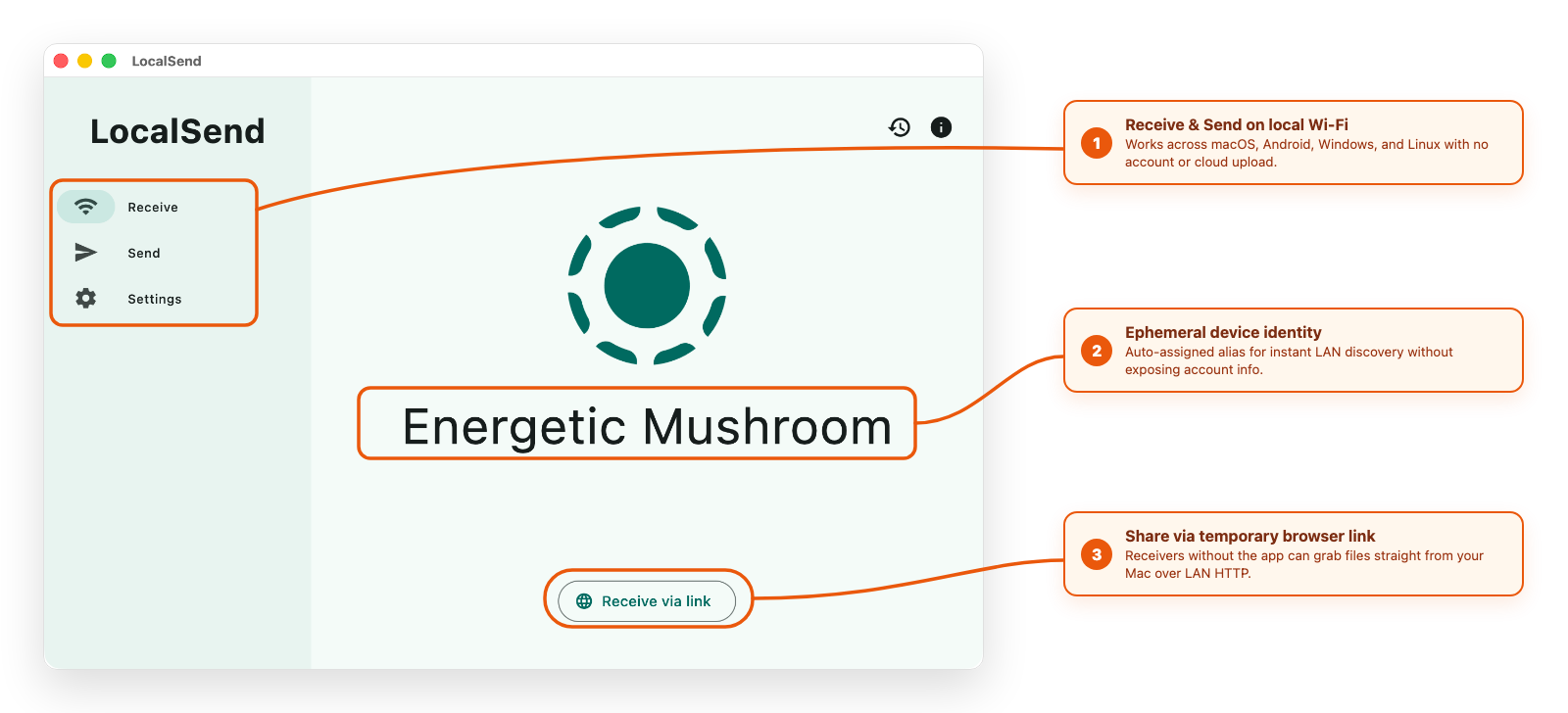
AirDrop stops helping the moment you need to hand a screen recording, APK, or log bundle to an Android phone, Linux workstation, or Windows laptop. LocalSend is free, open-source, works over your local Wi-Fi network with zero cloud uploads or accounts, and even exposes a temporary local browser download link if the receiving device doesn't have the app installed.
brew install --cask localsend7. BetterDisplay + AltTab — Sharp External Monitors and Real Window Switching
If you work docked to an external monitor, two focused utilities fix macOS's sharpest desktop rough edges:
- BetterDisplay unlocks crisp HiDPI scaling modes and native hardware brightness (DDC) controls on external displays that macOS would otherwise treat awkwardly.
- AltTab brings per-window thumbnail switching to
Alt+Tab(orCmd+Tab), so switching between two separate Ghostty, VS Code, or browser windows stops requiring extraCmd+~cycles.
brew install --cask betterdisplay alt-tab8. Wallspace — Native Animated Wallpapers Without Wasting Battery
Most animated wallpaper wrappers lean on webviews or heavy background loops that wake your GPU constantly. Wallspace uses native Swift and AVFoundation across multiple monitors so subtle ambient loops stay gentle on fans and unplugged battery life.
Complete Your macOS Stack
If you missed the technical side—OpenUsage, Trimmy, PortKiller, Ghostty, OrbStack, Syncthing, Beekeeper Studio, and Raycast—read Part 1: 8 Mac Apps That Make Your Dev and AI Workflow Feel Twice as Fast, or check out Every Developer Should Set Up Their Terminal Like This, Reclaim Mac Storage and Battery With Mole + AlDente, and Never Wake Up to a Stalled Coding Agent.